What's New in Ladderocity
We're constantly improving Ladderocity to help fire departments lead better. Here's a look at our latest updates.
Redesigned Department Evaluations
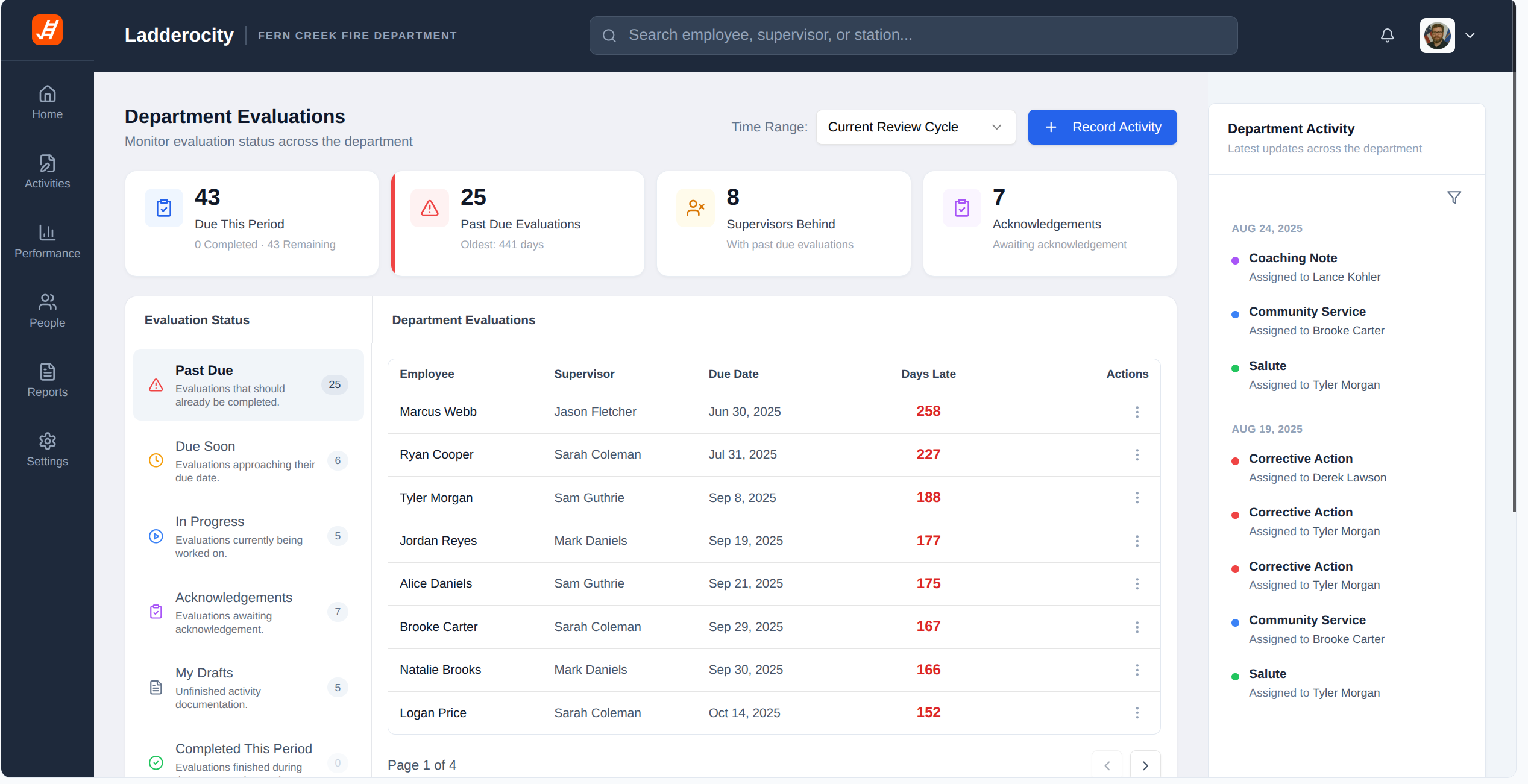
We've completely redesigned the Department Evaluations page to give leadership a clearer, more actionable view of evaluation status across the entire department. The new layout surfaces critical metrics like past-due evaluations, supervisors behind, and pending acknowledgements at a glance, with real-time activity feeds and improved task organization.
Drag the slider to compare the old and new Department Evaluations
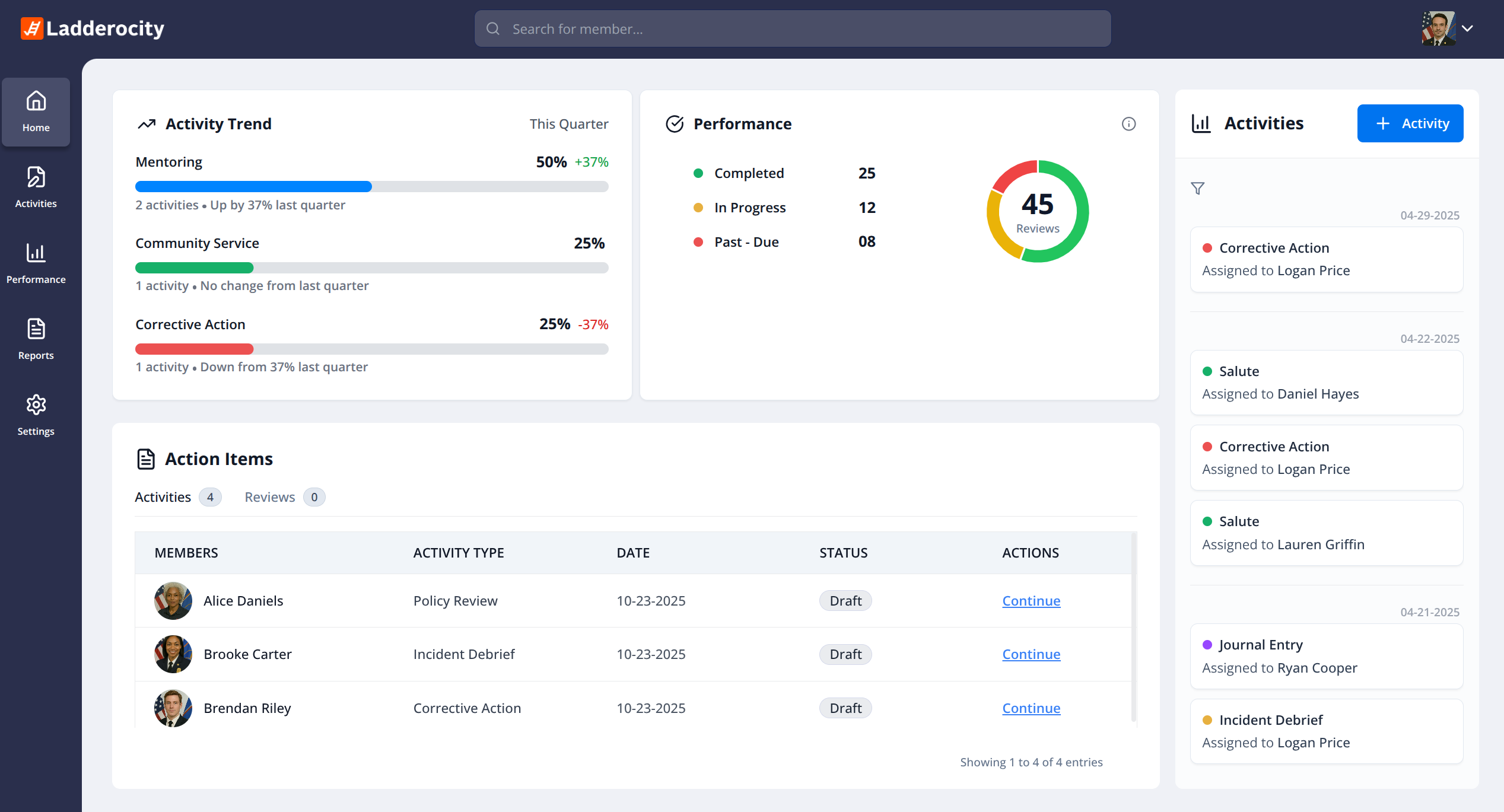
Key Improvements:
- Stats cards showing Due This Period, Past Due, Supervisors Behind, and Acknowledgements
- Past due evaluations highlighted with 'Oldest' days counter
- Evaluation Status panel with Past Due, Due Soon, In Progress, and My Drafts categories
- Department Evaluations table with supervisor assignments and days late tracking
- Real-time Department Activity feed showing recent documentation
- Time Range filter with Current Review Cycle option
- One-click 'Record Activity' button for faster logging
- Modern dark navy sidebar with department branding
New Compliance & Recognition Widgets
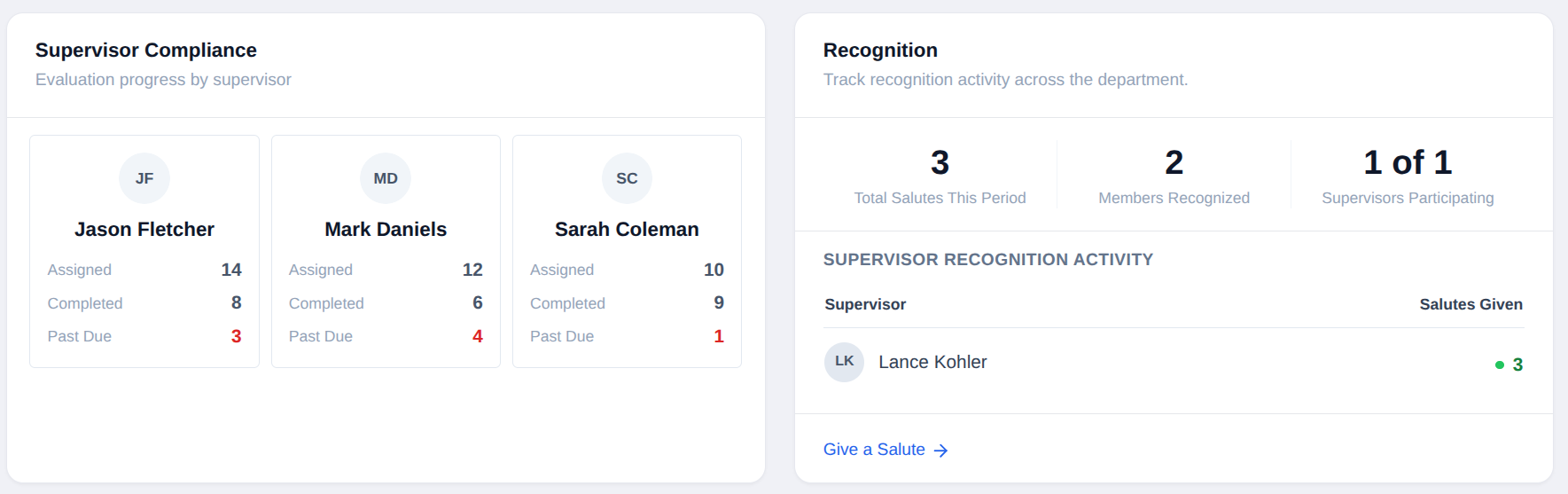
We introduced new dashboard widgets that give department leadership quick insight into supervisor evaluation compliance and recognition activity. Chiefs can now see evaluation progress, overdue reviews, and recognition trends across the department at a glance.
Key Features:
- Supervisor Compliance widget showing evaluation progress by supervisor
- Assigned, Completed, and Past Due counts per supervisor
- Past due evaluations highlighted in red for quick identification
- Recognition widget tracking salutes across the department
- Total Salutes This Period, Members Recognized, and Supervisors Participating metrics
- Supervisor Recognition Activity table showing salutes given
- Quick 'Give a Salute' action link for easy recognition
- At-a-glance visibility for Chiefs and leadership
Enhanced Activity Records
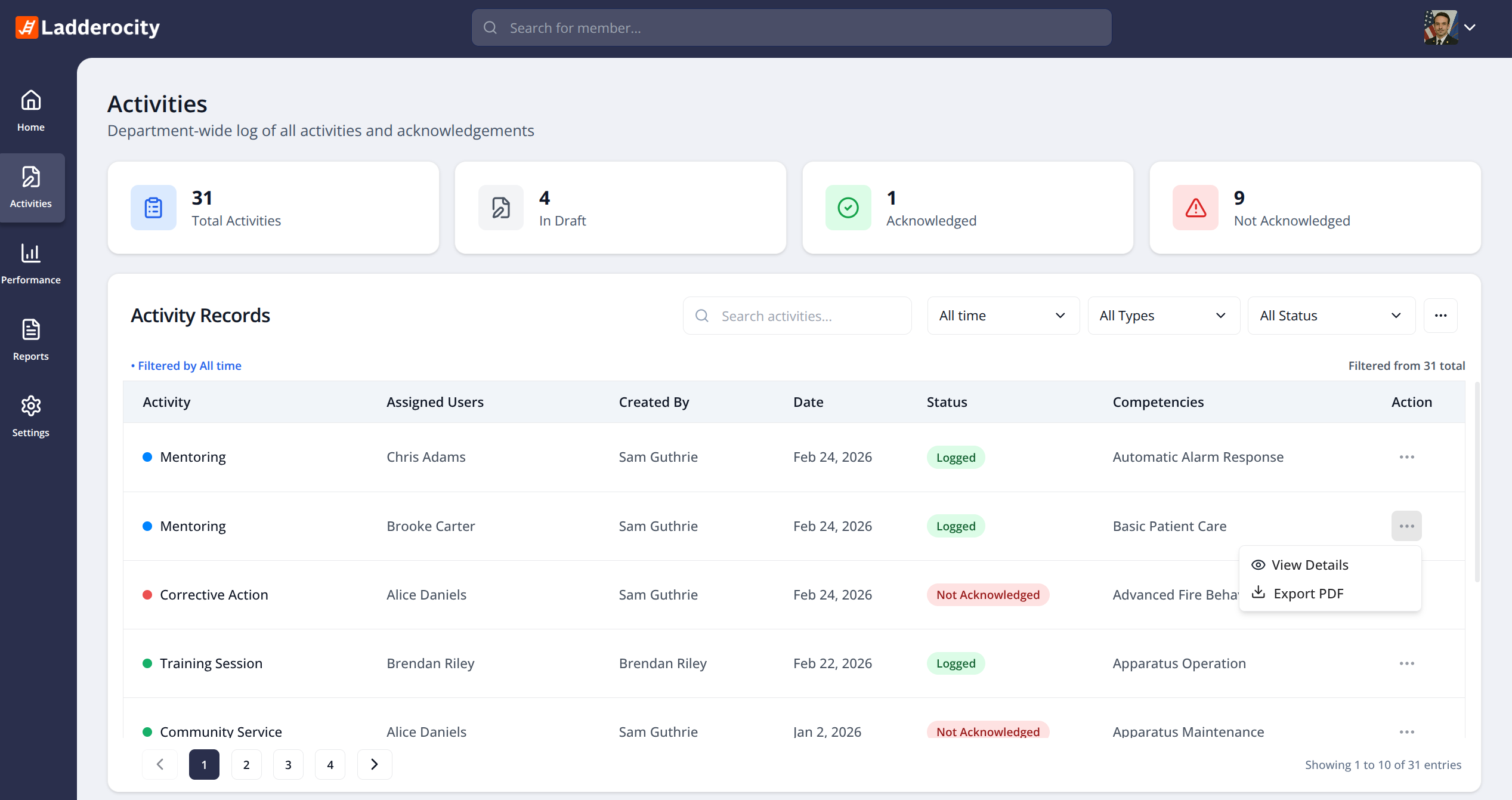
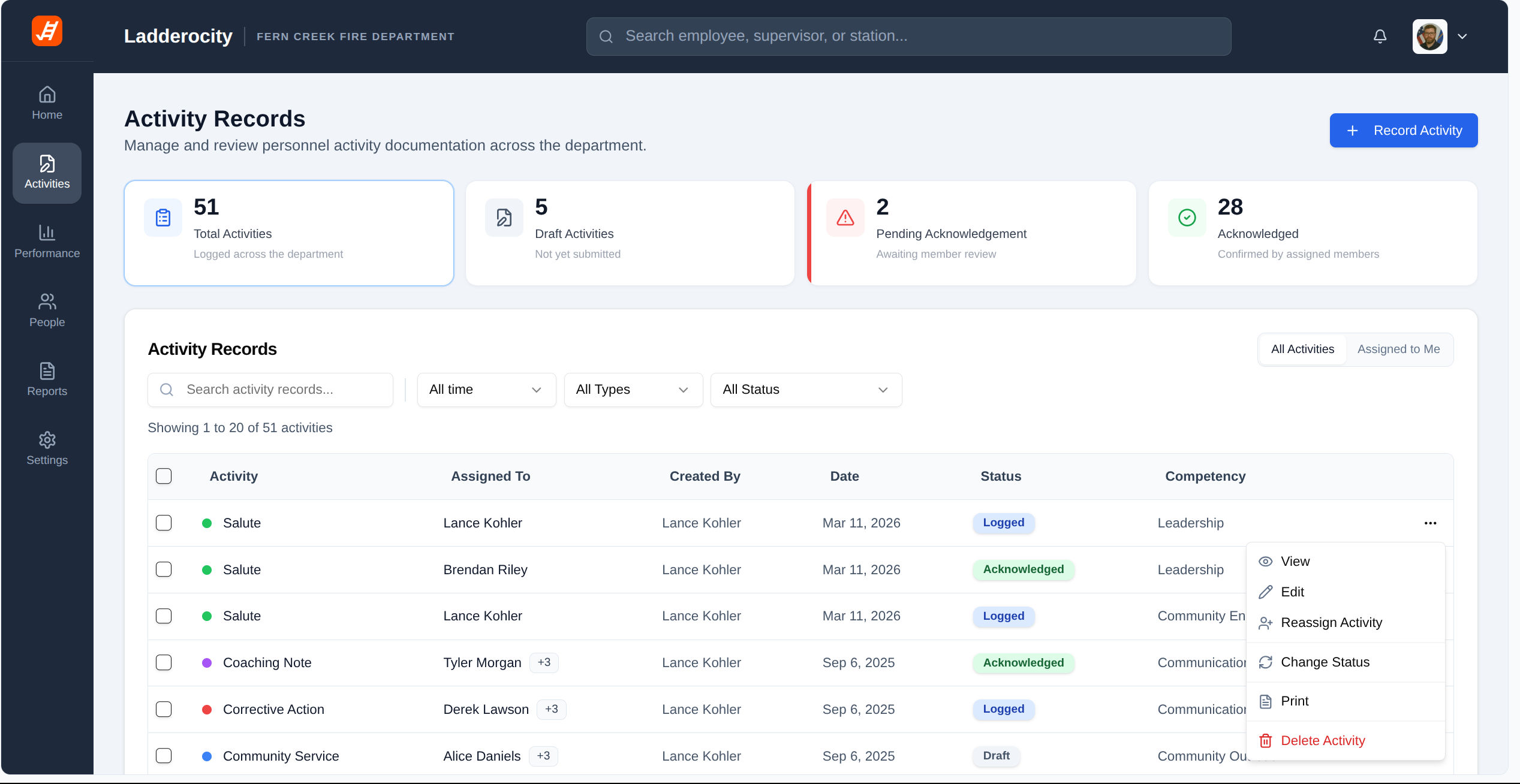
The Activity Records page has been completely overhauled with more detailed stats, better filtering options, and powerful new actions. Manage all personnel documentation across your department with greater visibility and control.
Drag the slider to compare the old and new Activity Records
Key Improvements:
- Enhanced stats cards with Draft and Pending Acknowledgement tracking
- Department branding and modern navigation sidebar
- Tabs for 'All Activities' and 'Assigned to Me' views
- Expanded action menu with View, Edit, Reassign, Change Status, Print, and Delete
- Activity count showing total records at a glance
- Competency column for quick reference
- Color-coded status badges (Logged, Acknowledged, Draft)
- Multi-select checkboxes for bulk actions
New Notification Intelligence Dashboard
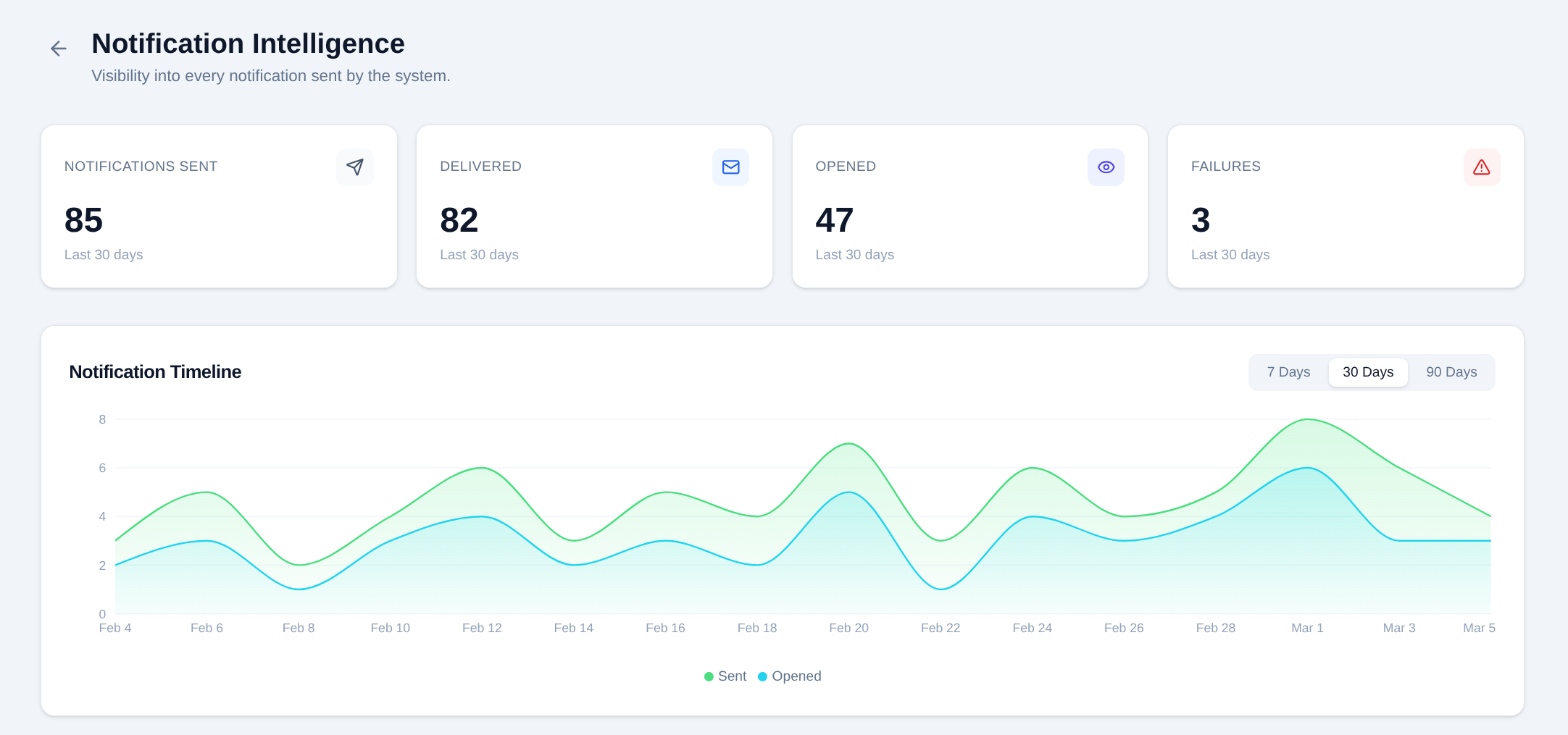
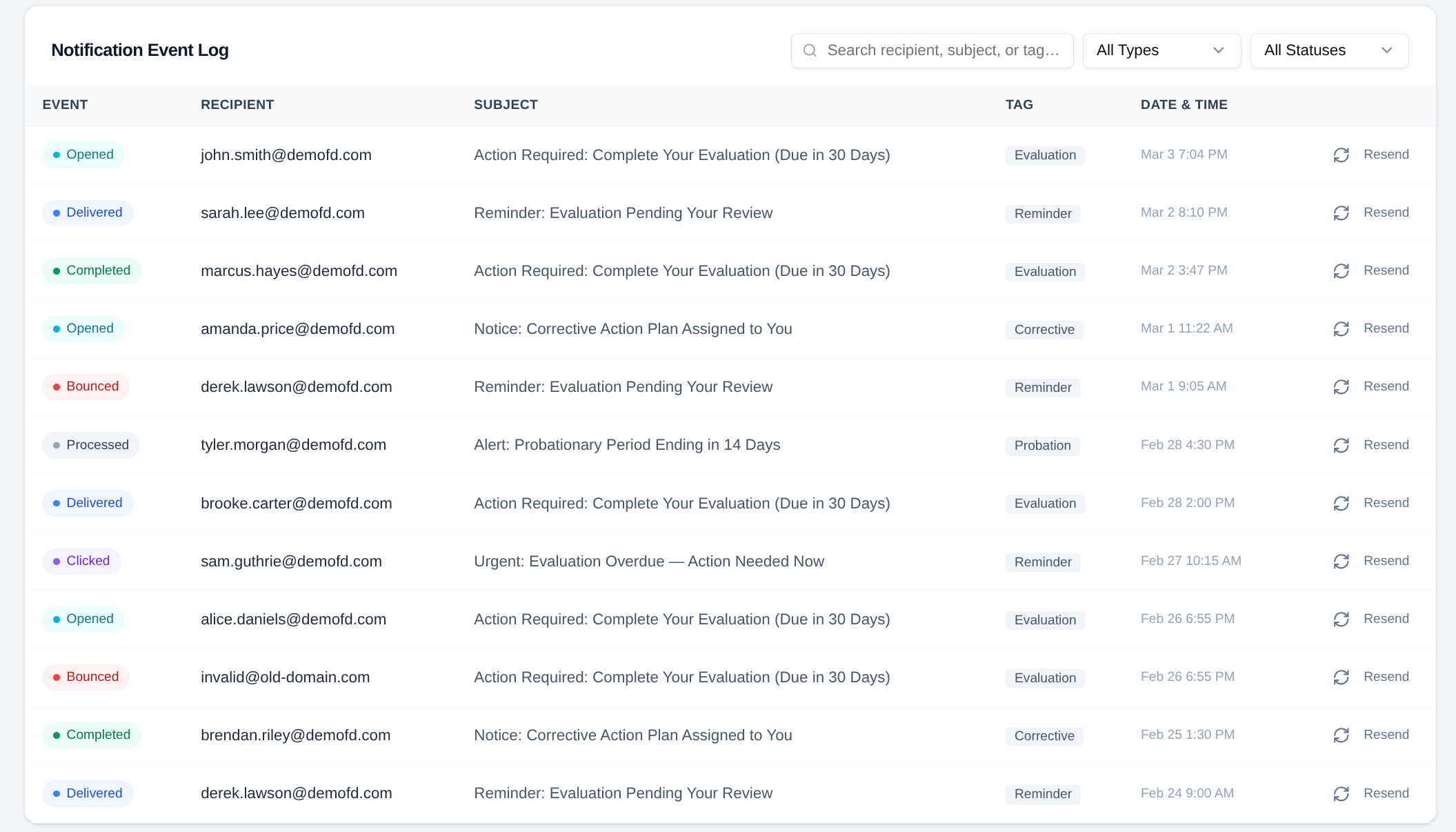
We introduced a new Notification Intelligence view that gives administrators full visibility into system notifications. Track what messages were sent, delivered, opened, or failed, and quickly troubleshoot issues with a detailed event log and resend capability.
Key Features:
- Stats cards showing Notifications Sent, Delivered, Opened, and Failures
- Notification Timeline chart with Sent vs Opened trends over 7/30/90 days
- Detailed Event Log with color-coded status badges (Opened, Delivered, Bounced, Clicked)
- Search and filter by recipient, subject, type, or status
- Message tags for Evaluation, Reminder, Corrective, and Probation notifications
- One-click Resend capability for failed or bounced messages
- Full visibility into delivery issues for quick troubleshooting
- Date and time tracking for complete audit trail